Led by You, Elevated by AI.
MarginNote's AI isn't a separate mode you switch into — it's embedded across the workflow you already use. Reading, organizing, recalling. You stay in the loop, AI raises the ceiling — but the decisions and the recalling stay with you. Below: where it shows up, and where it deliberately doesn't. Both are design choices.
The map
The examples below are grouped by reading, organizing and reviewing. These workflow categories do not fix the number or names of modes in a template.
Auto-extract the structure of a paper or textbook — background / methods / results / discussion — and turn it into a question-driven mind-map skeleton. Every node links back to the exact paragraph in the source. Built on Core ML + Vision + LLM working together.
Multiple modes: smart-dictionary mode (auto-build Title Links for key terms), vocabulary-extraction mode (pull words by CEFR level), question mode (organize by problems instead of by chapter). Two-stage flow — notes first, then organize — breaks past the 100-page limit.
The built-in MarginNote Agent requires Max (Premium in the Mac standalone edition), uses MarginNote AI credits and does not use your Custom API. Other breakdown methods have separate model and usage requirements.
Where: document → "AI breakdown" entry · AI panel (MarginNote 5) · multiple modes selectableAnywhere in the document or mind map, ask AI in place. Select a passage, hit Ask — the answer is bound to the current passage, no context-switch needed.
Where: document view / mind map view, after selectionStart from any card and let AI respond in "Guide Mode" — instead of dumping full answers, AI asks back, hints, or breaks down steps, leaving the deciding and the connecting to you. Every AI output is something you can Accept or Reject: AI helps expand the mind map, but you stay in charge.
Where: right sidebar (collapsible) / right-click any card → "Talk to AI"When a PDF has no TOC, one click generates a structured, editable TOC — split into Parts / chapters / sections, each with a page range. After generation you can edit it manually and freely switch back to the original.
Where: document sidebar (an "AI generate TOC" button shows up when no TOC exists) · AI panel; from MarginNote 5, books without a table of contents get a one-tap prompt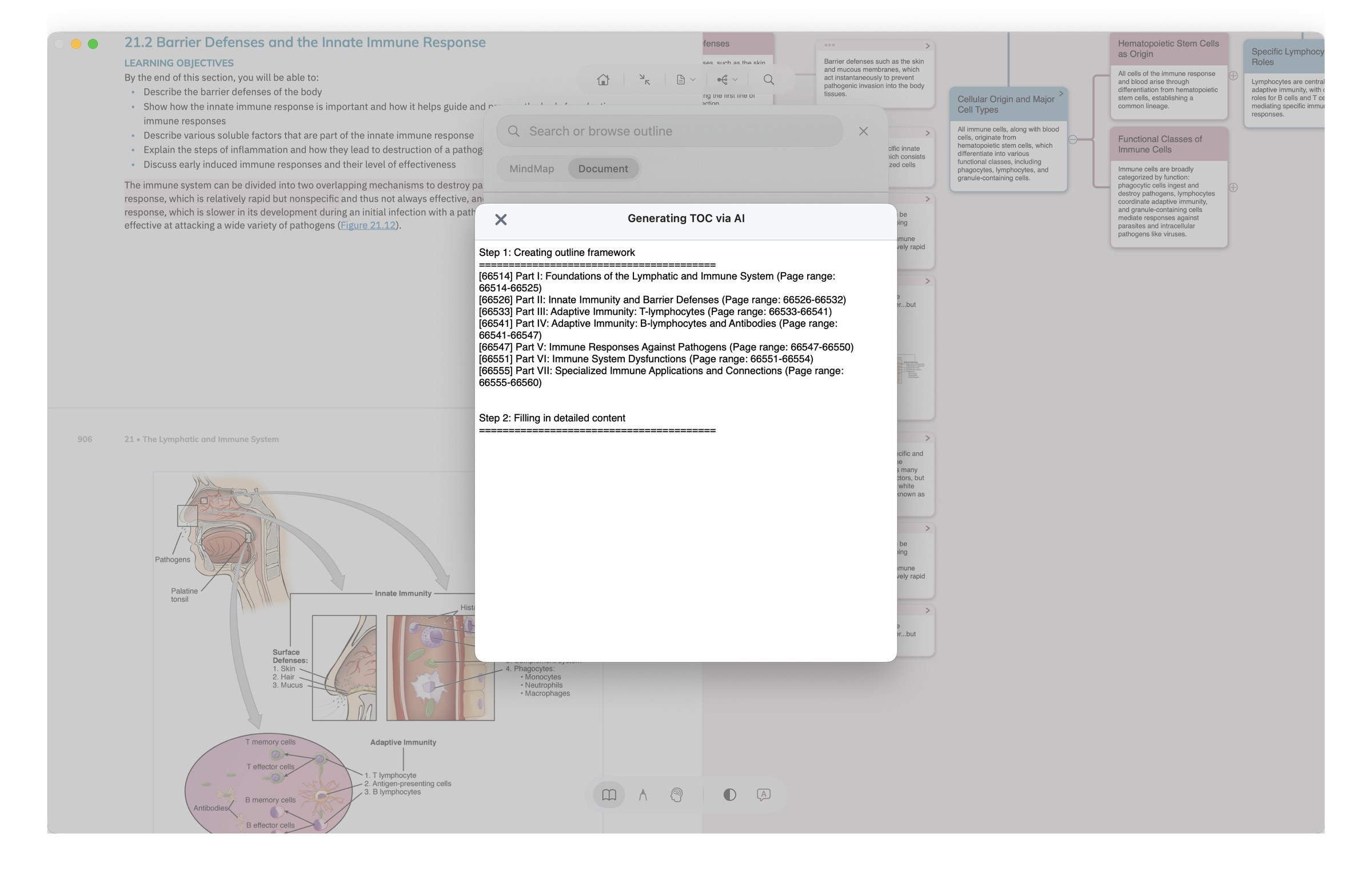
Generate cloze cards directly from your excerpts — fill-in-the-blank plus multiple choice. Right after a chapter, you've got the matching quiz. The gap between "I read it" and "do I actually remember it" closes immediately.
Where: excerpt right-click / card view / review entry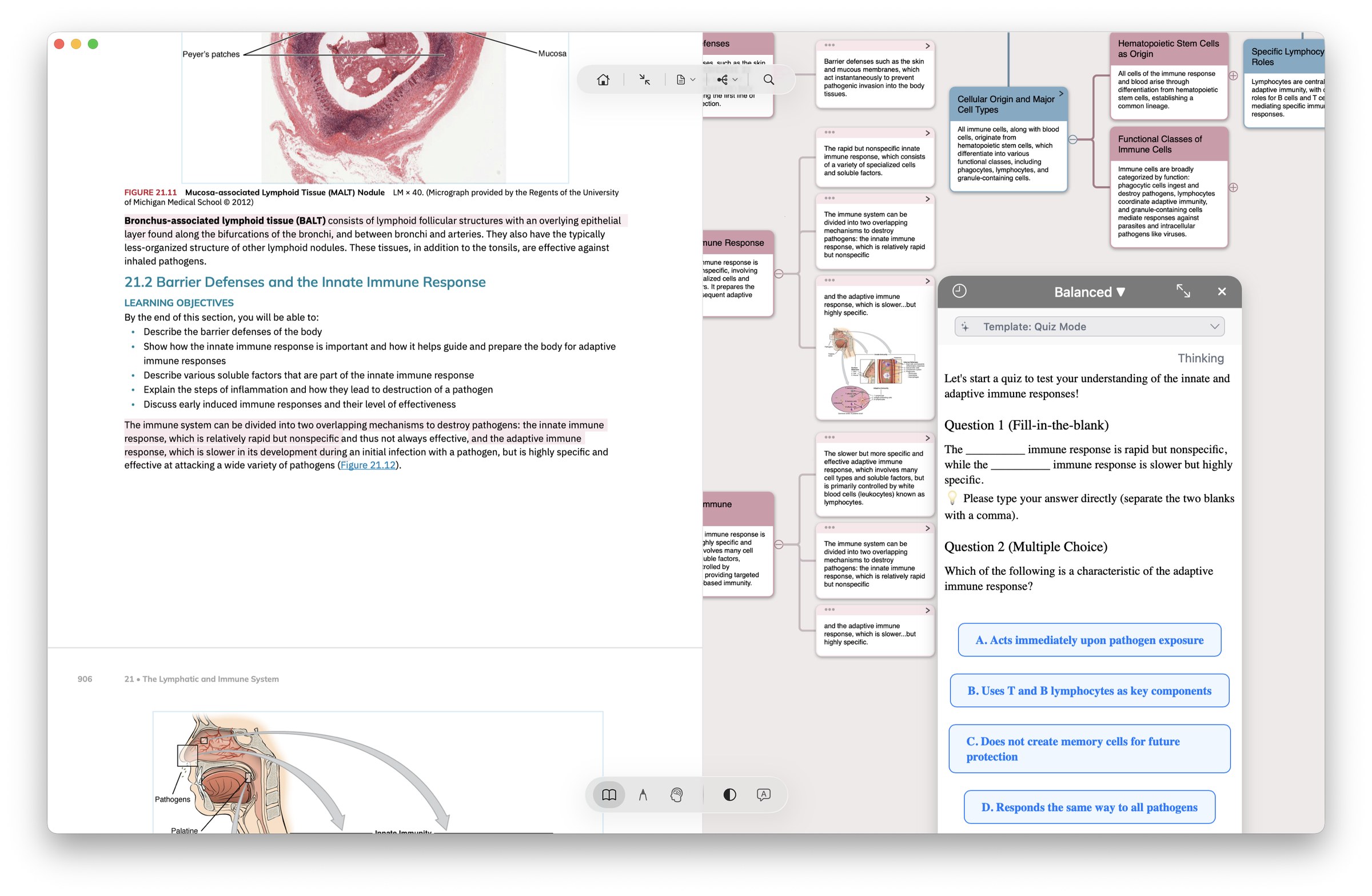
Hand the manual half of card-making to AI — title rewrite (let AI suggest a better card name) and batch polish (rewrite tone and granularity across multiple notes at once).
Where: card right-click / multi-select batch menuLet AI re-arrange your mind map skeleton — based on content relations: re-organize node hierarchy, merge redundancy, flag gaps. When a chapter feels messy, run AI through it once before you commit.
Where: mind map view, right-click "AI restructure"Recognize formulas / tables / handwriting / images / text boxes / vertical classical Chinese / multiple languages — output as Markdown formulas and tables that write directly into notes / mind maps / cards, no copy-paste. Easy to export onward to Obsidian / Notion too.
AI OCR card templates: let AI organize / translate / summarize / generate flashcards (5 preset templates included). From MarginNote 5, they work with Pro.
Save an AI chat answer as a card, or turn its outline into mind-map branches — each outline level becomes a level in the map. The conversion runs on your device and uses no extra credits; you can undo the new cards.
Where: AI chat · below an answer (the AI chat itself uses AI credits)In Recall mode, long-press a blurred excerpt — AI doesn't reveal the answer. Instead it surfaces "same chapter / same branch" related context, helping you associate rather than replacing the act of recall.
This is MarginNote AI's most restrained — and most important — design choice. See "Where AI doesn't show up" below.
Apple Intelligence · iOS 26+
Where the system, device, region and model support it, AI Hint can use Apple Foundation Models to process a hint on the device. Cloud AI features still require a network connection and use credits under their service rules.
"AI Hint model" lets you pick Apple Intelligence (on-device) or cloud LLM. Both paths output the same "one light hint + one concrete prompt" format — you're choosing where the data flows, not what the experience feels like.
Local-hint availability depends on the device, system, region and model readiness. Cloud services need a network connection. Check the current version’s settings for available hint sources.
Local models require a compatible system, device and region. Available sources are shown in the current settings.
Design choice · deliberately not
"AI isn't in everything we do. It's in the places where it actually helps — and out of the places where it would break active recall."
AI Hint is designed to provide relevant context and recall cues so you can try answering before checking the source. Model outputs may not always meet this goal and still require verification.
Title Link runs on a local dictionary match — no cloud calls, no AI inference, instant response. Shipped in MN 3.6.4 (2019), running for six years. AI here would be slow and pointless — local deterministic matching is the better tool.
The three views (document / mind map / review) share the same object — not "PDF highlight + mind-map node + Anki card, three things, AI keeps them in sync". It's the same object to begin with. Inserting AI here would only add latency and inconsistency.
Pricing
Pro comes with a 500-credit starter — and that starter never expires; it stays in your balance until you spend it. Max adds 500 more every month on top of that starter (while subscribed); the two pools sit side by side. There's one more difference: Pro can switch among most models; a small number of advanced international-region models are Max-only. The exact list of available models is whatever the app shows at the time. Pro includes core study features such as cards, Title Link, Extended Note, templates and FSRS review. Mac access and some advanced features require the applicable Max entitlement; see Pricing.
| Plan | Price | AI credits | Models available |
|---|---|---|---|
| Pro lifetime | $12.99 (iPhone/iPad only) | 500 one-time | Most models |
| Max annual | $16.99/year (1-month free trial) | 500 starter + 500/mo | Models available to Max |
| Max lifetime | $51.99 (one-time) | 500 starter + 500/mo (first 3 years) | Models available to Max |
Detailed credit consumption rules, cross-device license sharing, and the "Pro + iOS Pro = Max" equivalence — see the full pricing page →
14-day DMG trial / 1-month Max subscription trial. Pro works as a starting point too — upgrade to Max only if you actually need the AI.
Download free →